Remote control
Remote control lets your client click, type and scroll on the web page you're sharing, as if they were using it themselves. You stay in charge: you choose when to hand over control, and you can take it back at any time.
Remote control works when you browse together, which needs the free HelloScreen browser extension. It isn't available when you share a file or your screen.
When to use it
- Filling in a form together: let your client type in their own details, so you never have to ask them to read them out.
- Choosing options: let your client pick the options that suit them, like on a pricing page or product configurator.
- Teaching: show your client where to click, then let them try it themselves while you watch.
Hand over control
- Start browsing together, and send your client your link.
- Click the HelloScreen icon in your browser's toolbar.
- Turn on Remote control.
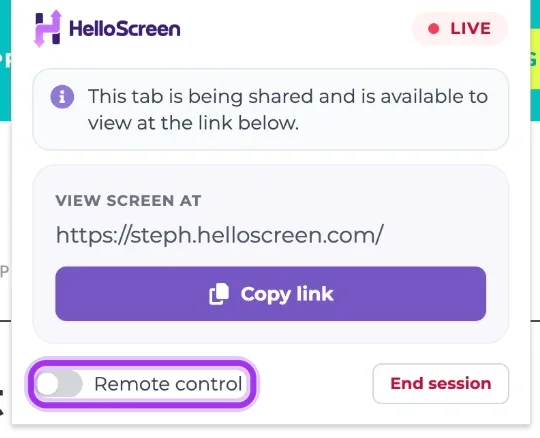
Your client can now click, type and scroll on the page. Their cursor shows up labelled Viewer, so you can see exactly what they're doing.

Take back control
Click the HelloScreen icon and turn off Remote control. Your client goes back to watching straight away.